Chrome Extension
Watch what
you listen to
GrooveVision automatically finds the YouTube music video for whatever you're scrobbling to Last.fm — opening it in the background, muted.
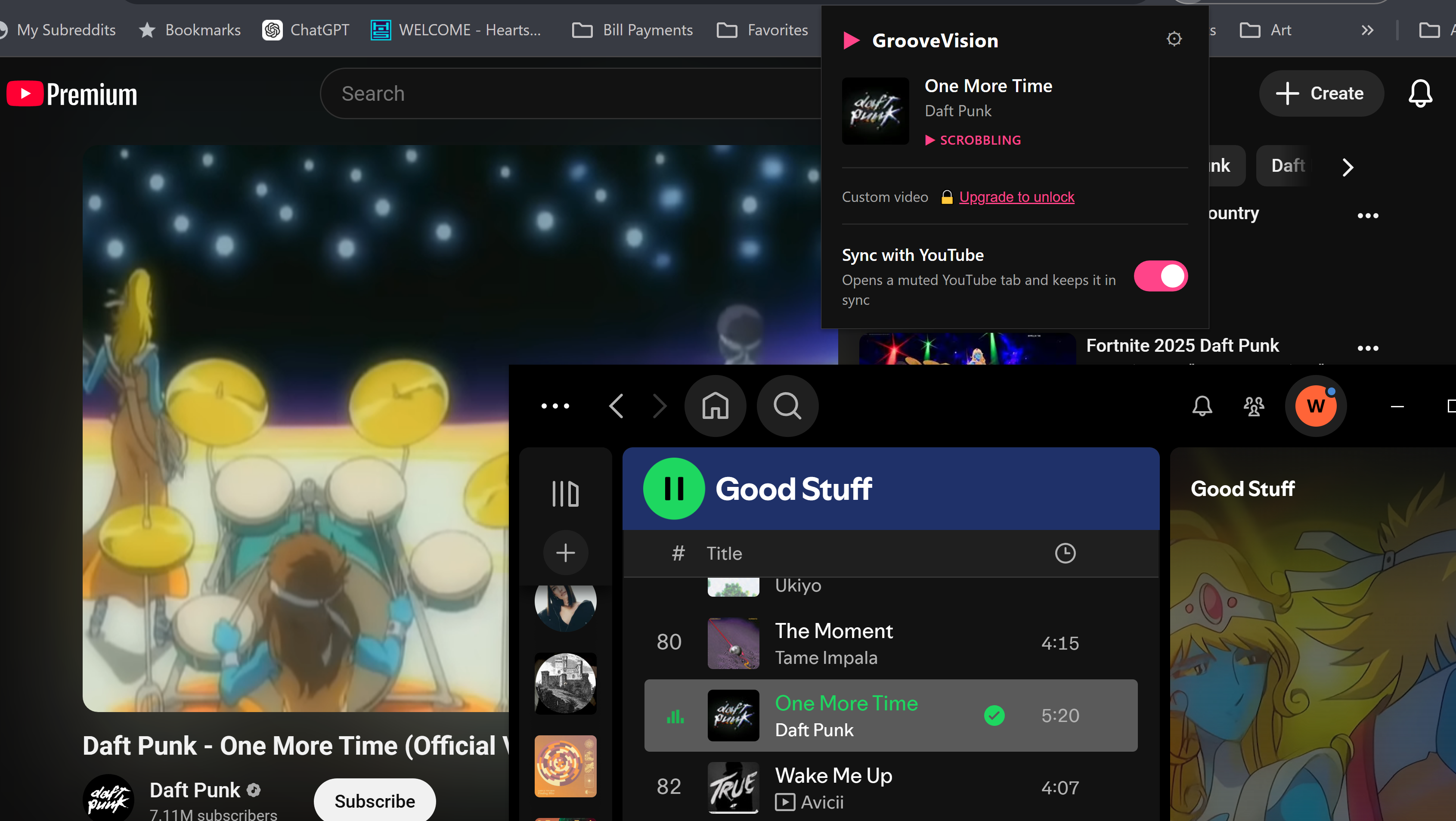
GrooveVision automatically finds the YouTube music video for whatever you're scrobbling to Last.fm — opening it in the background, muted.
Set it up once and forget about it. GrooveVision runs quietly in the background.
Start any song in any music app and the matching YouTube video opens in a background tab automatically — synced to your Last.fm scrobbles.
The YouTube tab stays muted so your music plays uninterrupted. Switch to the tab and unmute whenever you want the video's audio instead.
Change tracks and GrooveVision updates the YouTube tab automatically — no manual searching required.
Syncs via Last.fm scrobbles, so it works with Spotify, Apple Music, YouTube Music, Tidal, and anything else that scrobbles to Last.fm.
Connect your own free YouTube API key in about two minutes. Your searches stay private and you're never affected by other users hitting their limits.
Found the perfect live performance or official video? Pin any YouTube URL to a song so GrooveVision always opens that exact video.
Turn passive listening into real visual engagement through official videos, live performances, and creator content.
A few things actively in the works — roughly in the order they're coming.
Choose the mood and GrooveVision finds a video that matches the feel — not just the title. Great for background listening when you want the visuals to match the energy.
YouTube is full of covers, lyric videos, and fan uploads. GrooveVision will prioritize results from an artist's Official Artist Channel so you get the real music video by default.
YouTube videos often open with intros, countdowns, or silence before the music starts. Premium users will be able to set a custom start time per song so GrooveVision skips straight to the right moment every time.
The algorithm doesn't always find the best video. Community Picks lets users surface and vote on the version everyone agrees is the right one for each song.
Four quick steps from install to your first video.
Add GrooveVision to Chrome from the Web Store. No companion app required.
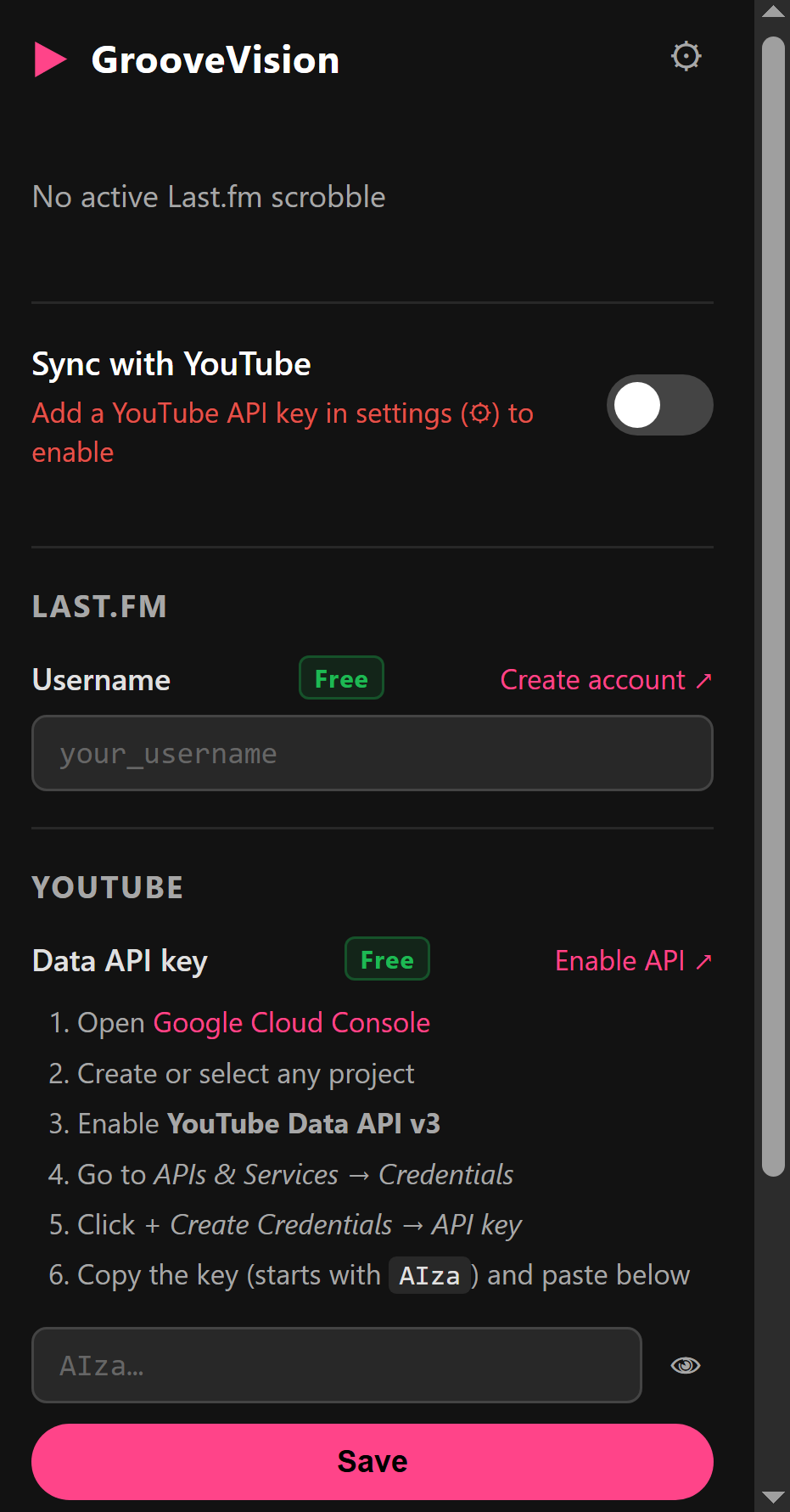
Open the extension popup and type in your Last.fm username. No OAuth, no login — just your username.
Create a free API key at Google Cloud Console in about two minutes. Paste it into the extension settings — one time, and you're done.
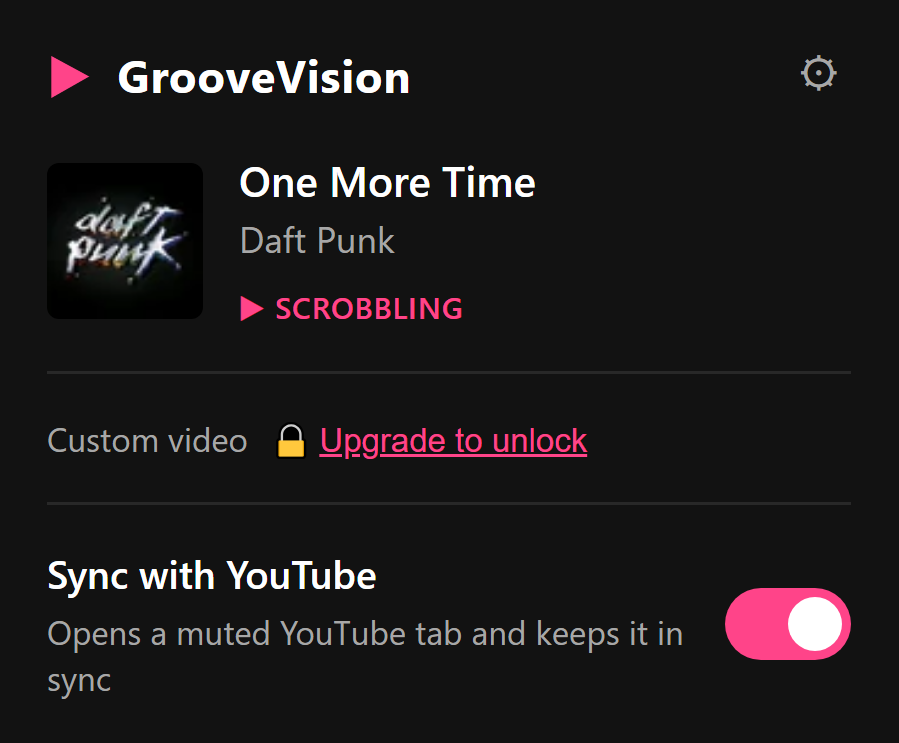
Flip the sync toggle in the popup, start a song in any music app, and watch the matching YouTube video open automatically.
The popup shows what's playing and stays out of your workflow.
Core sync is completely free. Upgrade for extra control — cancel any time.
Free to install. Works with any music app that scrobbles to Last.fm.